
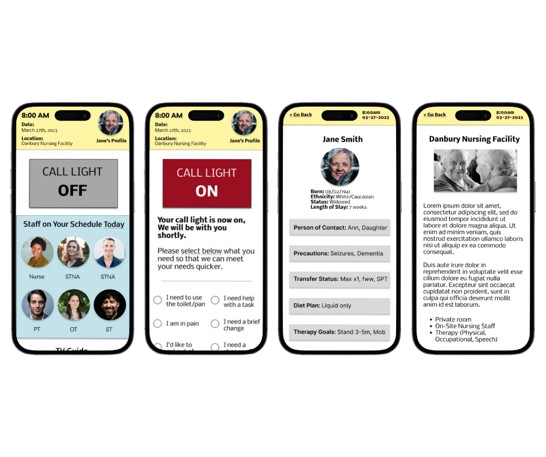
For this project, completed through Google Coursera, my role was to identify a need to create an app that could be used for the social good. Through my previous experience of working as an Occupational Therapy Assistant within a nursing home, I found a common issue or complaint was the call light system. I decided to create an app specifically for nursing homes or hospitals, allowing the residents and staff members to better communicate with each other.
My role in this project was from start to finish. This includes brainstorming and creating the business idea, the Call Light app. Then I created user personas followed by hand sketched wireframes, low fidelity wireframes created through Figma, user testing, affinity diagramming, high fidelity wireframes and prototypes, as well as responsive designs.
There are several issues and complaints that I found that need to be addressed through my own experience of working directly in a nursing home as well as through research. Lack of communication between the nursing staff and residents, confusion with residents of where they are staying and why, who their staff members are, the inability to speak with the administrator of the nursing home, and misunderstandings as to what is listed within the patient’s charts. These areas are what I sought to address while I created the Call Light app system.
Design Journey
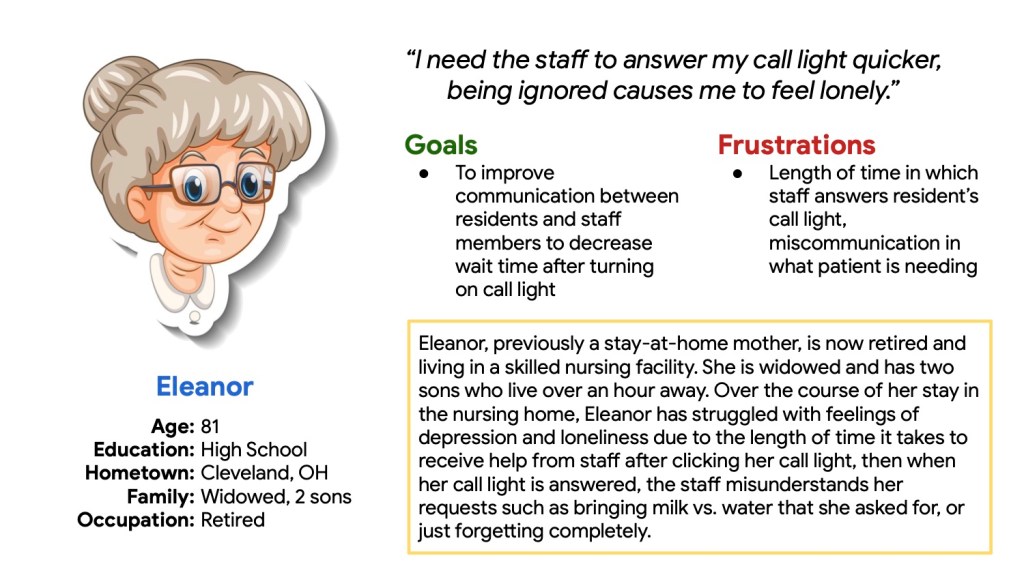
User Persona
Pictured above is one of the user personas that I created through my research and experience. By creating a user persona, I was able to put myself within the headspace of the users that would potentially be using the app that I am creating from scratch. I looked at their backgrounds, age, goals, and frustrations in order to identify problems that need addressed within the app.
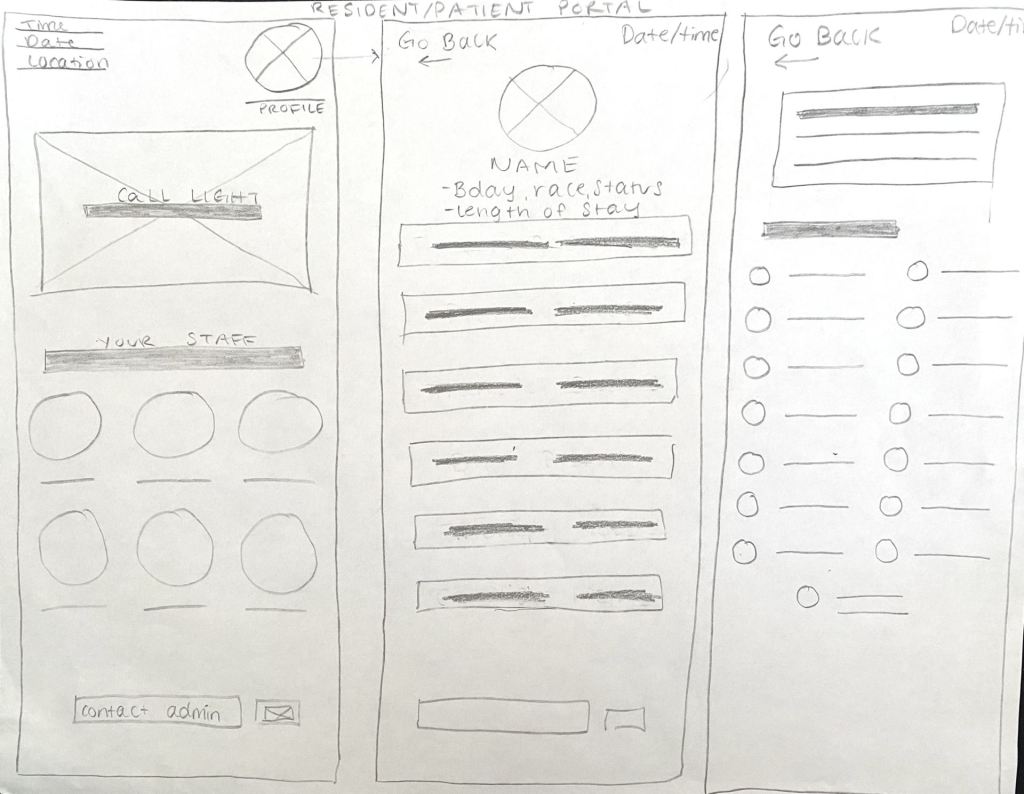
Hand Sketched Wireframes
After gathering research on the users that I will be creating and designing the app for, I drew hand sketched wireframes to develop ideas on how I would like the layout to present itself to the users, as well as the elements and necessary pages that will be included.
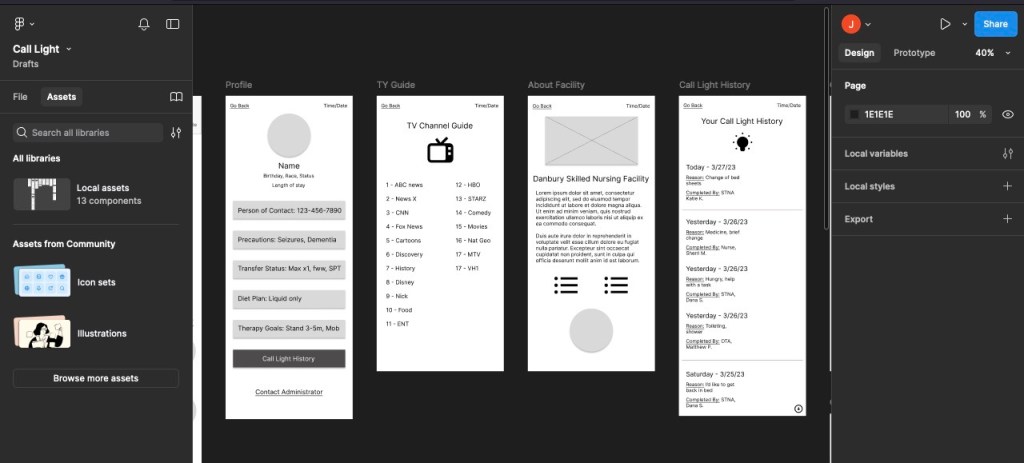
Low Fidelity Wireframes
The next step included using Figma to build low fidelity wireframes that were based on the hand sketched wireframes in order to receive a more real-life feel of the Call Light app. After approval, the wireframes were then turned into a low fidelity prototype.
Affinity Diagram
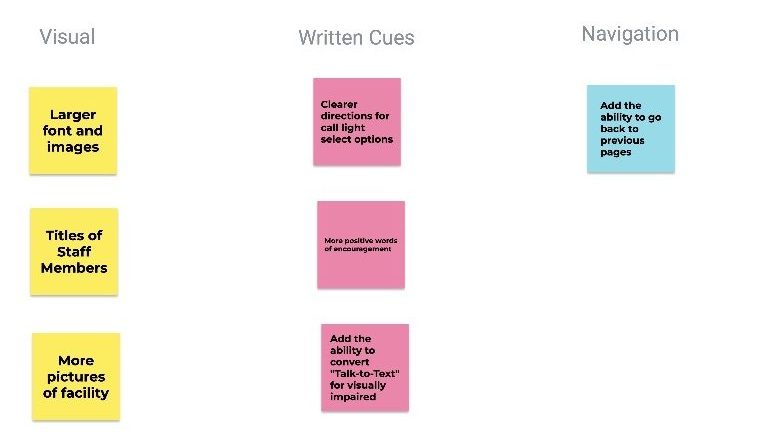
After finishing the low fidelity wireframes, I then turned them into a prototype for presentation to users in user testing. Based on the feedback that was given by users within the testing, I created an affinity diagram to better understand problem areas that should be solved in order to improve my design.
High Fidelity Wireframes
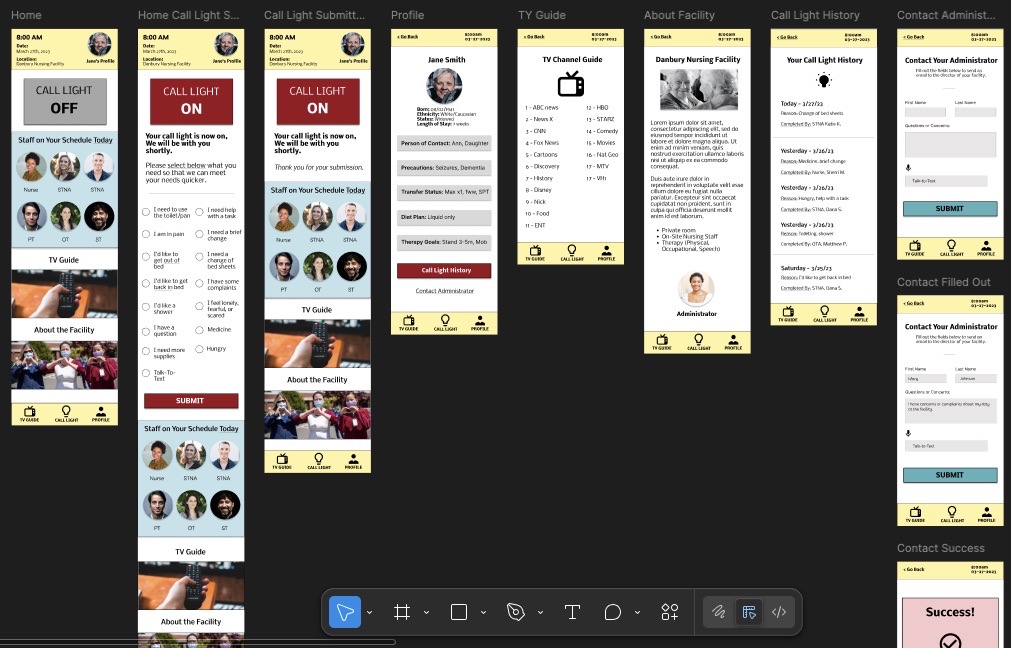
The wireframes were updated in Figma into high fidelity wireframes that included colors, typography, imagery, iconography, and then turned into a prototype for further testing. After more feedback and testing, updates were made as needed for increased accessibility and navigation.
Responsive Designs
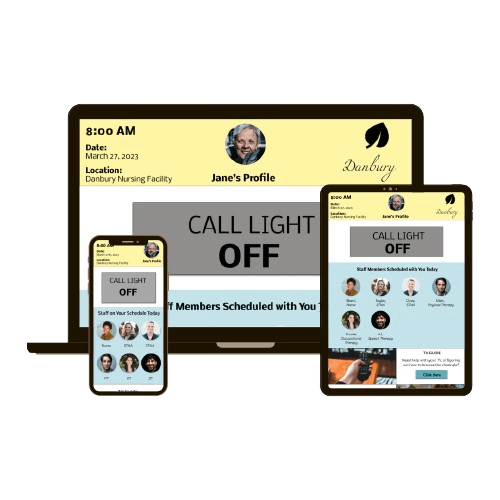
Since the residents may use this call system on other platforms, I designed the app to be responsive for other devices such as tablets and desktops. This way, users can use the app on their preferred type of device.
Overall What I Learned…
The opportunity to complete this project from start to finish was a rewarding experience. I was able to find an issue within other’s every day lives, build a design from scratch to address this issue, then bring my idea to life. Completing user research, user testing, wireframe and prototype building was an invaluable experience that helped develop and harness my skills. I also had the opportunity to create this design within another software, Figma, where I found enjoyment in learning and navigating a new system.
 jengatesdesign.com